Step-by-Step Registration
- Download and install the official ALI786 Game APK from a trusted/legitimate source (avoid random websites or modified files).
- Open the app.
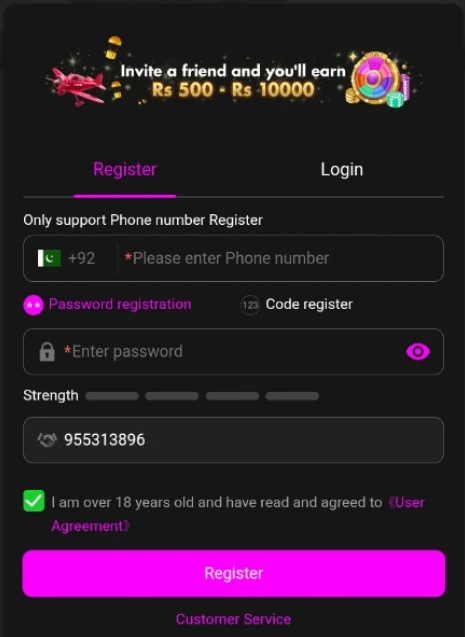
- On the home/login screen, tap Register, Sign Up, or Create Account.
- Enter the required information. This usually includes:
- Your Pakistani mobile number (in 03xx-xxxxxxx format)
- A strong password (mix of letters, numbers, and symbols)
- Sometimes a username, email, or optional referral code
- Complete verification if prompted (most similar apps send an OTP via SMS to your mobile number — enter it to confirm).
- Review the details you entered and accept the terms & conditions.
- Tap Submit / Register / Create Account.
- Once successful, log in with your new account details (mobile number + password).
Important Tips
- Use your own active Pakistani mobile number — it is typically needed for OTP verification and later for deposits/withdrawals via EasyPaisa or JazzCash.
- Create a strong, unique password and do not share it with anyone.
- Never give your OTP or password to someone claiming to be support or an “agent.”
- Registration details can vary slightly depending on the current app version, so follow the exact fields shown in the app.
- Use only your real information. Do not create accounts for others.
After registering, you can log in and proceed to the wallet/deposit section if you want to add funds.
If the registration form looks different or you face any issue (e.g., OTP not arriving), check your internet connection, try resending the OTP, or contact the app’s official support through the in-app channel.